
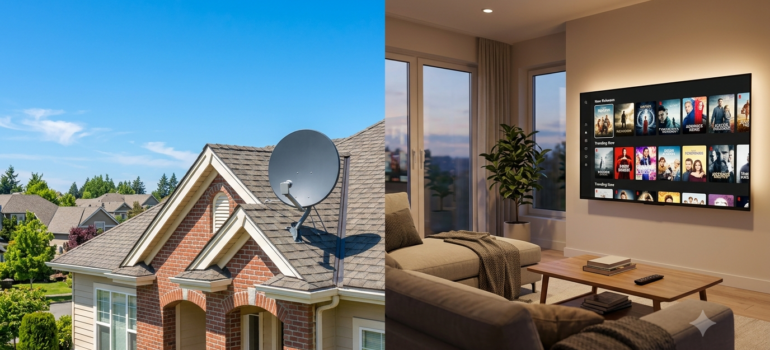
DirecTV Stream vs Satellite (2026): What’s the Difference and Which One Should You Choose?

DirecTV now offers two ways to watch TV: traditional satellite service and TV delivered over the internet.
While both carry the DirecTV name, they’re designed for different types of households. Understanding the differences in installation, DVR features, pricing, and reliability can help you determine which option makes more sense for your home.
Updated and pricing verified: September 2026
Quick Answer: Stream vs Satellite
What DirecTV Satellite Actually Is
DirecTV Satellite is the traditional service delivered by a dish installed at your home. It’s independent of your internet connection for the core TV signal, which is a major advantage in areas with unreliable broadband.
- Dish installation — a professional installer sets up your dish and receiver
- Available nationwide — works virtually anywhere with a clear view of the southern sky
- Hardware requirements — dish, receiver, and Genie DVR equipment
- Rural advantage — doesn’t depend on local broadband infrastructure
What DirecTV Stream Actually Is
DirecTV Stream delivers a broadly similar live-TV lineup over your existing internet connection — no dish required, though exact channel availability can vary by package, delivery method, and ZIP code. It’s built for flexibility and works on streaming devices and apps.
- Internet-based TV — runs entirely over your home broadband connection
- No dish required — no exterior equipment or professional installation needed
- Streaming devices — works with Gemini boxes, Gemini Air, Roku, Fire TV, and Apple TV
- Flexibility — month-to-month options, cancel anytime
DVR Differences
Satellite DVR (Genie / Genie 2)
Recordings stay on your DVR as long as you keep the equipment — no automatic deletion. Genie 2 offers up to 450 hours of storage, which suits households that like to build a library of recorded shows.
Stream Cloud DVR (Gemini)
Unlimited cloud storage on eligible plans, with recordings generally retained for up to nine months. You’ll get an expiration alert about a week before a recording is set to be removed. Because retention policies can change, confirm the current terms before you order. Accessible from any device with the app, so you don’t need to be home to manage recordings.
Reliability Comparison
- Bad weather impacts satellite: Heavy storms can occasionally cause temporary signal loss
- Internet outages impact streaming: If your internet goes down, so does your TV
- Rural considerations: Homes with unreliable broadband generally do better with satellite
How Much Internet Speed Does Stream Need?
A stable connection matters more than the top advertised speed. DIRECTV recommends at least 25 Mbps for its Gemini receiver, but a household running multiple TVs, phones, and other devices at once should plan for more:
- One active TV stream: at least 25 Mbps of dependable capacity
- Two or three TVs at once: 100 Mbps or more is a safer target
- Multiple 4K streams, gaming, remote work: 300 Mbps or faster
- Data-capped internet: check your monthly allowance — live TV adds up fast
Wi-Fi coverage, network congestion, and the number of connected devices all affect real-world performance, not just the plan speed.
Pricing Comparison
Satellite and Stream plans are priced very similarly across the same package tiers (Entertainment, Choice, Ultimate, Premier). The differences that affect your actual cost come down to a few factors:
- Equipment: Satellite typically requires a professional install and leased equipment; Stream needs a compatible streaming device
- Promotions: Introductory pricing and device credits change frequently and can differ between the two delivery types
- Contract structure: DIRECTV STREAM (app-based) is generally promoted without an annual contract, while DIRECTV via satellite typically involves a 24-month agreement with pricing set for that term. DIRECTV via Internet — a fuller internet-delivered experience with optional DIRECTV equipment — can carry its own separate terms, so confirm which applies to your offer. Either way, ask about equipment or activation fees before signing up.
Which Option Costs Less?
Streaming isn’t automatically the cheaper choice. Your real monthly cost depends on the package, equipment, number of TVs, local sports fees, current promotions, and whether you’re already paying for internet fast enough to support it.
When comparing offers, ask for:
- The advertised monthly price
- The price after any introductory period ends
- Contract length, if any
- Activation or installation charges
- Monthly equipment or TV-access fees
- Regional sports fees
- Fees for additional TVs
- Early-termination or unreturned-equipment charges
Promotions change often — compare the full estimated monthly bill, not just the headline rate.
Is Stream or Satellite Better for Sports?
Both can work well for sports fans — the specific lineup at your address matters more than the delivery method. Before choosing, confirm:
- Whether your regional sports network is included
- Whether ESPN, FS1, NFL Network, MLB Network, NBA TV, and NHL Network are in your selected package
- Whether local ABC, CBS, FOX, and NBC affiliates are available at your ZIP code
- Whether a regional sports fee applies
- Any blackout rules that could affect specific games
Two packages with the same name don’t always carry identical channels across delivery method and location — worth confirming for your address before you order.
Want the Full Cost Picture Before You Decide?
A lower advertised price doesn’t always mean a lower final bill.
☎ Talk to a Live Agent — No Hold Time
Who Should Choose Satellite?
- Rural homes without access to fast, reliable internet
- Households with limited internet or data caps that streaming would exceed
- Traditional TV users who prefer a dedicated receiver and remote experience
Who Should Choose Stream?
- Cord-cutters who want a no-dish, no-contract experience
- Existing broadband users with fast, reliable internet already in place
- Frequent movers who don’t want to deal with dish installation and removal at every address
Not Sure Whether Stream or Satellite Fits Your Address?
A lower advertised price doesn’t always mean a lower final bill. We’ll help you compare current DIRECTV delivery options, package availability, equipment, and fees before you order. Call (469) 960-3311.
Still weighing your options? See how this stacks up in our guide to the best internet providers in the USA.
Frequently Asked Questions
Do Satellite and Stream have the same channels?
Channel lineups are very similar across both delivery types at each package tier, though exact channel counts can vary slightly. We can confirm your specific lineup when you call.
Can I switch from Satellite to Stream later?
Yes, but it’s usually not a simple flip of a switch. Depending on your account, it can involve canceling or changing your existing service, returning leased satellite equipment, and starting a new streaming plan. Worth checking any remaining contract obligations before you make the switch.
Is Stream cheaper than Satellite?
Base package pricing is similar, but Stream avoids installation and dish equipment costs. Promotions vary, so it’s worth comparing both at the time you order.
Does Stream require a contract?
DirecTV Stream offers month-to-month options with no annual contract. Satellite plans may offer better pricing with a 2-year agreement.
Which is more reliable during bad weather?
Satellite can experience brief interruptions during severe storms. Stream depends entirely on your internet connection, so if your broadband is solid, Stream tends to hold up well too.
Does Stream work without internet?
No. It requires a working broadband connection — if your internet goes down, so does live Stream TV and cloud DVR access.
Can I watch Stream without a Gemini device?
Many customers can use the DIRECTV app on supported TVs and streaming devices. Equipment options and offer terms vary, so it’s worth confirming device compatibility before you order.
Does Satellite go out when it rains?
Heavy weather can occasionally cause brief interruptions. DIRECTV’s SignalSaver technology is designed to help compatible connected equipment keep showing supported programming over an internet connection during some weather-related interruptions.
Is Stream better for apartments?
Usually, since it doesn’t need an exterior dish. Satellite installation may require landlord or HOA approval and a clear view of the sky.
Which is better for multiple TVs?
It depends on stream limits, receiver requirements, Wi-Fi coverage, and equipment fees on each side — worth comparing the full multi-room cost rather than just the base package price.
Is there a free trial for Stream?
DIRECTV has offered short trial periods for eligible streaming plans in the past. Trial availability and terms can change, so confirm what’s currently offered when you call.
Need Help Choosing Between DirecTV Stream and Satellite?
The best option depends on your location, internet connection, viewing habits, and available promotions.
How We Verified This
Package pricing, channel counts, and fee details on this page were checked against the provider’s own published materials before publication, and are reviewed when packages change. See how we research internet & TV providers, our editorial standards, and why consumers trust Telemedia Solutions.
Explore More
- DirecTV Packages Explained
- DirecTV Internet Bundle Explained
- DirecTV Deals & Discounts
- DirecTV Channel Search Tool — check any channel by package
- DIRECTV Plans & Packages — Main Guide
- DIRECTV Choice Package Explained
- DIRECTV Sports Pack Explained
- DIRECTV vs YouTube TV
- Optimum TV vs DIRECTV: Which Is Better?