
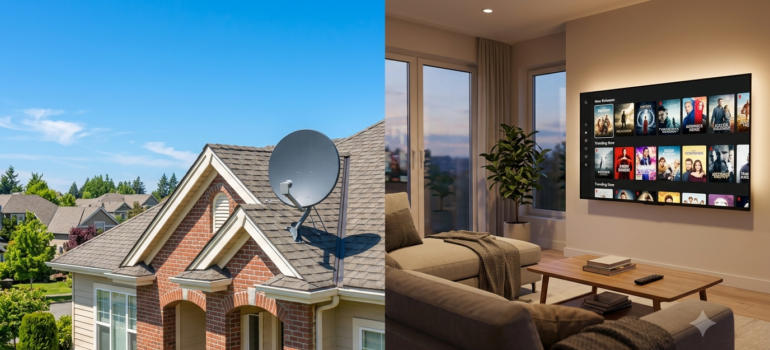
DirecTV Stream vs Satellite (2026): What’s the Difference and Which One Should You Choose?
DIRECTV sells the same four package tiers two ways: through a satellite dish, and streamed over your internet (the service formerly called DIRECTV STREAM). Which one is right depends on four things: how good your internet is, whether you can mount a dish, how long you are willing to commit, and how many TVs you have. This guide covers all four with prices and terms checked in October 2026 against DIRECTV’s own pages.
Comparing the packages themselves? See DIRECTV plans, packages and channels and our DirecTV Packages Explained guide.
Quick Answer: Stream vs Satellite
Choose satellite if your home has no reliable broadband, you have a clear view of the southern sky, or you want the longest advertised channel list and are comfortable with a 24-month agreement.
Choose streaming if you already have stable internet, want no annual contract, cannot or would rather not mount a dish, or want the lowest two-year cost. On our arithmetic below, streaming costs about $315 to $500 less than satellite over two years for ENTERTAINMENT and about $430 to $460 less for CHOICE.
| Feature | Satellite | Stream |
|---|---|---|
| Dish Required | Yes | No |
| Internet Required | No (for TV signal) | Yes |
| Professional Install | Usually | No |
| Setup Time | Longer | Faster |
Updated and pricing verified: October 2026. Every price, fee and offer on this page was checked against DIRECTV’s own satellite, streaming and deals pages; where those pages disagree with each other, we say so. DIRECTV sets and can change prices, fees and offers at any time.
At a Glance: 18 Differences Side by Side
Prices are DIRECTV’s posted new-customer rates in October 2026, before taxes. “Edge” shows which option is better on that factor for most households, not for every address.
| Factor | Satellite | Streaming | Edge |
|---|---|---|---|
| Dish required | Yes, professionally installed | No | Streaming |
| Internet required | Not for live TV. Recommended: apps, on-demand and SignalSaver use it | Yes, broadband required | Satellite |
| Installation | Free standard install of up to 3 TV receivers and an HD DVR; $49.95 one-time activation | None for the app or your own device; Gemini Air plugs into the TV | Streaming |
| Contract | 24-month agreement; early termination $20 for each month left, up to $480 | No annual contract, cancel anytime | Streaming |
| List price: ENTERTAINMENT | $94.99 | $89.99 | Streaming |
| List price: CHOICE | $99.99 | $94.99 | Streaming |
| List price: ULTIMATE and PREMIER | $129.99 and $174.99 | $129.99 and $174.99 | Tie |
| Price guarantee | 2 years (with the 24-month agreement) | 2-year price guarantee in DIRECTV’s offer terms | Tie |
| Channels DIRECTV advertises (ENT / CHOICE / ULT / PREM) | 175+ / 215+ / 280+ / 350+ | 90+ / 125+ / 160+ / 185+ | Satellite |
| DVR | Up to 450 hours of HD on in-home DVR equipment | Unlimited cloud DVR; recordings expire after 9 months | Depends |
| Simultaneous viewing | Per receiver; whole-home viewing with Gemini wireless receivers | Unlimited in-home streams on one home network; 3 concurrent out-of-home streams | Streaming |
| Equipment fee | $10/mo TV Access Fee per device | $10/mo Gemini lease per device; none if you use your own device | Streaming |
| Weather | Heavy rain or snow can interrupt; SignalSaver can bridge short interruptions | Not affected by weather; affected by your internet | Depends |
| Local channels | Included where available; $12/mo off if you remove them | Included where available | Tie |
| Regional sports networks | CHOICE and above; Regional Sports Fee up to $23.99/mo | CHOICE and above; Regional Sports Fee up to $23.99/mo | Tie |
| Satellite-only add-ons | NHL Center Ice, MLB EXTRA INNINGS, FOX Soccer Plus, Outdoor Channel and others | Not offered | Satellite |
| Streaming apps | Available through a Gemini receiver with internet | Disney+, Hulu (with ads) and ESPN Unlimited with the Gemini add-on; ESPN Unlimited without it | Streaming |
| Renting or no sky view | Needs a dish location with a clear southern sky view | No exterior equipment | Streaming |
Price notes: These are the provider’s advertised prices. Promotional prices may apply only for an initial period (often 12–24 months), may require autopay and paperless billing, and usually exclude taxes, equipment, installation and other fees. Availability, speeds and final pricing depend on your address and are confirmed by the provider.
What DirecTV Satellite Actually Is
DirecTV Satellite is the traditional service delivered by a dish installed at your home. It’s independent of your internet connection for the core TV signal, which is a major advantage in areas with unreliable broadband.
- Dish installation — a professional installer sets up your dish and receiver. DIRECTV states standard installation of up to three TV receivers and an HD DVR is free.
- Available nationwide — works virtually anywhere with a clear view of the southern sky
- Hardware requirements — dish, receiver, and Genie DVR equipment; DIRECTV’s Gemini wireless receivers add whole-home viewing
- Rural advantage — doesn’t depend on local broadband infrastructure
What satellite includes
- Four packages: ENTERTAINMENT (175+ channels), CHOICE (215+), ULTIMATE (280+) and PREMIER (350+), all with ESPN Unlimited
- A 2-year price guarantee with the 24-month agreement
- Local channels where available, and regional sports networks from CHOICE up
- A 3-month offer on premium networks with select packages (HBO Max, Paramount+ with SHOWTIME, STARZ, Cinemax and MGM+)
- Whole-home viewing, with the ability to pause in one room and resume in another
- The DIRECTV app for watching live or recorded programming away from home
What satellite costs
DIRECTV lists satellite at $94.99 (ENTERTAINMENT), $99.99 (CHOICE), $129.99 (ULTIMATE) and $174.99 (PREMIER) a month for 24 months, with autopay and paperless billing required. On top of that come a $10 monthly TV Access Fee for each device, the Regional Sports Fee (up to $23.99 a month) on CHOICE and above, a one-time $49.95 activation fee, and taxes. Removing local channels saves $12 a month.
Read the agreement before you sign. Satellite requires a 24-month agreement. Ending it early costs $20 for each month remaining, up to $480, and unreturned equipment is billed per device.
What DirecTV Stream Actually Is
DirecTV Stream delivers a broadly similar live-TV lineup over your existing internet connection — no dish required, though exact channel availability can vary by package, delivery method, and ZIP code. It’s built for flexibility and works on streaming devices and apps.
- Internet-based TV — runs entirely over your home broadband connection
- No dish required — no exterior equipment or professional installation needed
- Streaming devices — works with Gemini boxes, Gemini Air, Roku, Fire TV, and Apple TV, plus Chromecast, Vizio and Samsung TVs, phones, tablets and web browsers
- Flexibility — month-to-month options, cancel anytime
Three ways to buy streaming
| Route | What you use | What to know |
|---|---|---|
| Streaming with a Gemini device | DIRECTV’s Gemini Air box, leased at $10 a month | Voice remote, one guide for live TV and apps, Disney+ and Hulu (with ads) with the Gemini add-on |
| Streaming on your own device | Roku, Fire TV, Apple TV, Chromecast, Vizio, Samsung, phone, tablet or browser | No lease fee; DIRECTV’s intro discounts are shorter on this route |
| MyFree DIRECTV | Any internet-connected device with the app | Free live channels (DIRECTV’s pages list 130+ to 160+), no credit card; no cloud DVR |
Prices above are promotional rates. They may require autopay, usually exclude taxes and fees, and depend on your address.
A note on naming: DIRECTV retired the separate “STREAM” name; its own page now reads “DIRECTV streaming (formerly DIRECTV STREAM).” Older terms such as “DIRECTV via Internet” still appear in DIRECTV’s legal text. This guide uses “Stream” and “streaming” for the internet-delivered service. The Gemini name covers two devices: the Gemini receiver that connects to a satellite setup, and Gemini Air, the box built for streaming.
Channels and Packages: What’s the Same and What’s Different
Both delivery methods use the same four package names, and each tier builds on the one below it:
- ENTERTAINMENT — the entry package, with essentials such as AMC, CNN, Disney Channel, ESPN and ESPN2, and Nickelodeon
- CHOICE — adds specialty sports (ACC Network, Big Ten Network, MLB Network, NBA TV, SEC Network) and regional sports networks for your local teams
- ULTIMATE — adds more sports and movies, including CBS Sports Network, Discovery Family, FX Movie Channel, NHL Network and STARZ Encore
- PREMIER — adds HBO Max, Paramount+ with SHOWTIME, STARZ and Cinemax. On satellite, DIRECTV also lists every Sports Pack channel and NFL RedZone as included
Local ABC, CBS, FOX, NBC, PBS and The CW channels are included in every package at no extra cost where available, on both delivery methods.
Where the counts differ
| Package | Satellite | Streaming |
|---|---|---|
| ENTERTAINMENT | 175+ channels | 90+ channels |
| CHOICE | 215+ channels | 125+ channels |
| ULTIMATE | 280+ channels | 160+ channels |
| PREMIER | 350+ channels | 185+ channels |
The gap is large, and DIRECTV does not itemize it. DIRECTV advertises roughly twice as many channels on satellite at every tier. We could not find a DIRECTV page that lists exactly which channels make up the difference, so if a specific channel matters to you, check it against the package before you order with our DirecTV channel search tool.
What only one side has
- Satellite only: NHL Center Ice, MLB EXTRA INNINGS, FOX Soccer Plus, Outdoor Channel, Up Faith & Family, Dog TV and Revry, which DIRECTV says are available only to satellite customers
- Streaming: Genre Packs such as MySports, MyNews and MiEspañol, the free MyFree DIRECTV channels, and the Gemini app experience with Disney+, Hulu (with ads) and ESPN Unlimited
DVR Differences
| Factor | Satellite | Streaming |
|---|---|---|
| Where recordings live | On DVR equipment in your home | In the cloud |
| Capacity | Up to 450 hours of HD, per DIRECTV | Unlimited storage |
| Retention | Stored on the equipment | Recordings expire after 9 months; a series keeps at most 30 episodes |
| Watch away from home | Yes, through the DIRECTV app | Yes, from any device with the app |
Satellite DVR (Genie / Genie 2)
Satellite recordings are stored on DVR equipment in your home rather than in the cloud. DIRECTV states that satellite customers using Gemini wireless receivers can record up to 450 hours of HD content with full DVR capability on every connected TV, and that you can pause in one room and resume in another. That suits households that like to keep a library of recorded shows.
Stream Cloud DVR (Gemini)
Streaming includes unlimited cloud DVR storage on eligible plans, with recordings retained for up to nine months and a maximum of 30 episodes stored in a series recording (the oldest are deleted first, which can be sooner than nine months). DIRECTV notes the unlimited cloud DVR offer applies to new customers who sign up online, and you will get an expiration alert before a recording is removed. Because retention policies can change, confirm the current terms before you order. Recordings are accessible from any device with the app, so you don’t need to be home to manage them. The free MyFree DIRECTV tier does not include cloud DVR.
Reliability Comparison
- Bad weather impacts satellite: Heavy storms can occasionally cause temporary signal loss. DIRECTV states its satellite service is 99% reliable, in part because of SignalSaver, which keeps 160+ of the most-watched channels playing through an internet-connected HD DVR (model HR44 or later) during a weak or lost satellite signal, at no extra charge.
- Internet outages impact streaming: If your internet goes down, so does your TV
- Rural considerations: Homes with unreliable broadband generally do better with satellite
The practical rule: the more dependable your broadband, the stronger the case for streaming; the more dependable your sky view and the weaker your broadband, the stronger the case for satellite. Satellite with SignalSaver combines both.
How Much Internet Speed Does Stream Need?
A stable connection matters more than the top advertised speed. DIRECTV recommends at least 8 Mbps for each stream. For the whole household, its support pages recommend at least 24 Mbps (8 Mbps for each of three streams) while its satellite page recommends 25 Mbps for the Gemini receiver, so plan for at least 25 Mbps. A household running multiple TVs, phones, and other devices at once should plan for more:
- One active TV stream: at least 8 Mbps of dependable capacity (DIRECTV’s per-stream recommendation)
- Two or three TVs at once: 100 Mbps or more is a safer target
- Multiple 4K streams, gaming, remote work: 300 Mbps or faster
- Data-capped internet: check your monthly allowance — live TV adds up fast
Wi-Fi coverage, network congestion, and the number of connected devices all affect real-world performance, not just the plan speed. The 100 Mbps and 300 Mbps targets are our guidance, not DIRECTV requirements.
Installation, Equipment and Renter Rights
Satellite
- Schedule the install. DIRECTV says standard installation of up to three TV receivers and an HD DVR is free.
- The installer mounts the dish where it has a clear line to the southern sky; trees and buildings in that path are the usual problem.
- Pay the one-time $49.95 activation fee, plus any custom installation work you request.
- Keep track of leased equipment: if you cancel, unreturned receivers and DVRs are billed per device.
Streaming
- Order online or by phone; there is no installer appointment.
- Plug the Gemini Air into your TV, or download the DIRECTV app on a Roku, Fire TV, Apple TV, Chromecast, Vizio or Samsung device, phone, tablet or browser.
- Sign in. A Google login is required for the Gemini device.
- If you cancel, return each leased Gemini; DIRECTV bills $120 for each one not returned.
Renting, condos and HOAs
An FCC rule, the Over-the-Air Reception Devices (OTARD) rule at 47 CFR 1.4000, protects your right to install a satellite dish of one meter or less on property you own or have exclusive use of, such as a balcony, patio or yard. In practice that means a landlord or HOA generally cannot ban a dish in that space or make you wait for approval, although they can apply reasonable safety rules. The rule does not cover common areas or the roof of a multi-unit building, and it does not guarantee a signal: the dish still needs a clear southern sky view. See the FCC’s ruling applying the rule to a rented balcony.
If you have no usable balcony or yard, or no southern exposure, streaming avoids the question entirely because it needs no exterior equipment.
Pricing Comparison
Satellite and Stream plans are priced very similarly across the same package tiers (Entertainment, Choice, Ultimate, Premier). Streaming is $5 lower at list price on ENTERTAINMENT and CHOICE and the same on ULTIMATE and PREMIER, and it adds intro discounts. The differences that affect your actual cost come down to a few factors:
| Package | Satellite list | Streaming list | Streaming intro (Gemini route) | Regional Sports Fee |
|---|---|---|---|---|
| ENTERTAINMENT | $94.99 | $89.99 | $59.99 first month, then $5 off through month 24 | None |
| CHOICE | $99.99 | $94.99 | $64.99 first month, then $10 off through month 24 | Up to $23.99 |
| ULTIMATE | $129.99 | $129.99 | $94.99 first month, then $15 off through month 24 | Up to $23.99 |
| PREMIER | $174.99 | $174.99 | $134.99 first month, then $20 off through month 24 | Up to $23.99 |
Monthly prices before taxes and required fees, from DIRECTV’s satellite and streaming pages, October 2026. Satellite requires autopay and paperless billing and a 24-month agreement. The Regional Sports Fee is set by your billing ZIP code and can be lower than the maximum.
- Equipment: Satellite requires a professional install and leased equipment, with a $10 monthly TV Access Fee for each device. Streaming needs a compatible device: your own, or a Gemini Air at $10 a month.
- Promotions: Introductory pricing and device credits change frequently and differ between the two delivery types. The intro is longer when you stream on your own device (three months for ENTERTAINMENT) but the discount afterwards is smaller.
- Contract structure: DIRECTV streaming is promoted with no annual contract, while DIRECTV via satellite involves a 24-month agreement with pricing set for that term. Either way, ask about equipment or activation fees before signing up.
The fees that are not in the headline price
| Fee or term | Satellite | Streaming |
|---|---|---|
| Equipment | $10/mo TV Access Fee per device | $10/mo Gemini lease per device; none on your own device |
| Additional device | $10/mo for each additional TV connection | $10/mo plus a one-time $49 for each additional Gemini |
| Activation | $49.95 one-time | None listed |
| Regional Sports Fee | Up to $23.99/mo on CHOICE and above | Up to $23.99/mo on CHOICE and above |
| Leaving early | $20 for each month left on the 24-month agreement, up to $480 | Cancel anytime |
| Unreturned equipment | $45 to $135 per device depending on the receiver or DVR | $120 per Gemini |
| Taxes and cost-recovery charges | State and local taxes, plus federal and state cost-recovery fees on some bills | State and local taxes |
DIRECTV’s two-year price guarantee does not cover taxes, fees, add-on channels, equipment leases or one-time charges. Some DIRECTV pages still show Regional Sports Fee caps of $19.99 or $17.99; its current offer terms show up to $23.99, which is what we use. Equipment fee amounts are from DIRECTV’s fee terms as summarized by American TV in October 2026.
Which Option Costs Less?
Streaming isn’t automatically the cheaper choice. Your real monthly cost depends on the package, equipment, number of TVs, local sports fees, current promotions, and whether you’re already paying for internet fast enough to support it.
Here is the full two-year cost for one TV, built from DIRECTV’s posted October 2026 prices. This is our arithmetic, not a DIRECTV quote.
| 24 months, one TV | Satellite | Streaming, Gemini | Streaming, own device | Streaming saves |
|---|---|---|---|---|
| ENTERTAINMENT | $2,569.71 | $2,254.76 | $2,069.76 | $314.95 to $499.95 |
| CHOICE (maximum Regional Sports Fee) | $3,265.47 | $2,835.52 | $2,805.52 | $429.95 to $459.95 |
How we built it. Satellite: list price plus the $10 TV Access Fee for 24 months (plus the $23.99 maximum Regional Sports Fee on CHOICE), plus the $49.95 activation fee. Streaming with Gemini: ENTERTAINMENT $59.99 in month 1 and $5 off after, CHOICE $30 off month 1 and $10 off after, plus the $10 Gemini lease (and the same Regional Sports Fee on CHOICE). Streaming on your own device: ENTERTAINMENT $59.99 for three months then $89.99; CHOICE $64.99 in month 1, $84.99 in months 2 and 3, then $94.99; no lease fee. Excludes taxes, add-ons, premium-channel renewals and the cost of internet service. Streaming assumes you already have internet; if you would buy broadband only for TV, add that cost. Your Regional Sports Fee may be lower than the maximum.
For ULTIMATE and PREMIER the list prices are identical on both routes, so the gap comes from the same sources: the equipment fee, the activation fee and the intro discounts. When comparing offers, ask for:
- The advertised monthly price
- The price after any introductory period ends
- Contract length, if any
- Activation or installation charges
- Monthly equipment or TV-access fees
- Regional sports fees
- Fees for additional TVs
- Early-termination or unreturned-equipment charges
Promotions change often — compare the full estimated monthly bill, not just the headline rate.
Get the real two-year number for your address
Your Regional Sports Fee, local channels and the best route for your internet all depend on your ZIP code. We will price satellite and streaming side by side before you order.
Deals and Benefits Available Right Now (October 2026)
These are the offers DIRECTV listed on its own pages in October 2026. All are for new residential customers unless noted, most auto-renew at regular rates when the promotion ends, and DIRECTV can change or end any of them.
| Offer | What you get | Terms to know |
|---|---|---|
| Streaming free trial | 5-day free trial on streaming | New residential customers; valid card required and a temporary hold may be placed; renews monthly unless you cancel |
| Streaming intro pricing | ENTERTAINMENT at $59.99 a month for the first 3 months on your own device; first month on the Gemini route | Then regular rates; CHOICE and above get $30 off the first month and $10 off months 2 and 3 on your own device |
| Premium networks | 3 months of HBO Max, Paramount+ with SHOWTIME, STARZ, Cinemax and MGM+ (a $185 value) with eligible packages | You must select the offer. Renews at current rates unless cancelled: HBO Max $18.49, Paramount+ with SHOWTIME $13.99, STARZ $11.99, Cinemax $10.99, MGM+ $7.99 a month |
| Sports Pack | 1 month free of 35+ regional and specialty sports networks, including NFL Network and NFL RedZone | Renews at $14.99 a month; offered with ENTERTAINMENT or CHOICE |
| MySports Genre Pack | $49.99 for the first month, with ESPN Unlimited included | Then $64.99 a month |
| MiEspañol and MyNews | MiEspañol $29.99 and MyNews $39.99 a month for the first 2 months | Then $37.99 and $44.99 a month |
| MySports Extra | First month free, including NFL RedZone | Then $13.99 a month; must keep MySports or the Duo with MyNews |
| Netflix | 12 months of Netflix Standard with Ads when you add a Gemini device to any Genre Pack | Must keep the Gemini device ($10 a month); Netflix then renews at $8.99 a month |
| Movies Extra Pack with Peacock | 2 months free (a $19.98 value) | ENTERTAINMENT or CHOICE; renews at $9.99 a month; Peacock activation required |
| Spotify Premium | 4 months free with any package | New to Spotify Premium only; renews at $11.99 a month |
| MyFree DIRECTV | Free live channels with no credit card and no contract | DIRECTV’s pages list between 130+ and 160+ channels; requires an internet-connected device and registration |
| Refer a friend | Up to $500 a year in eGift cards | Select channels only; redemption required |
| Satellite benefits | 2-year price guarantee, free standard installation, $12 a month off if you remove local channels | 24-month agreement; $49.95 activation; satellite offers are on DIRECTV’s satellite page |
Watch the renewal dates. Free premium channels, the Sports Pack, Peacock, Spotify and Netflix all convert to paid at the end of their promotion unless you cancel. The most common surprise on a first bill is a free trial that quietly became a paid subscription, so put the dates in your calendar on order day.
Is Stream or Satellite Better for Sports?
Both can work well for sports fans — the specific lineup at your address matters more than the delivery method. Before choosing, confirm:
- Whether your regional sports network is included
- Whether ESPN, FS1, NFL Network, MLB Network, NBA TV, and NHL Network are in your selected package
- Whether local ABC, CBS, FOX, and NBC affiliates are available at your ZIP code
- Whether a regional sports fee applies
- Any blackout rules that could affect specific games
Two packages with the same name don’t always carry identical channels across delivery method and location — worth confirming for your address before you order.
Where each side is stronger
- Satellite: the only way to get MLB EXTRA INNINGS, NHL Center Ice and FOX Soccer Plus, which DIRECTV lists as satellite-only. PREMIER on satellite also includes every Sports Pack channel and NFL RedZone.
- Streaming: MySports and the other Genre Packs let you buy one genre instead of a full package, with 400+ college football games and ESPN Unlimited in MySports. Cloud DVR keeps game recordings for up to nine months.
- Both: regional sports networks come with CHOICE and above, and ESPN Unlimited is included in every package. The Sports Pack (35+ regional and specialty networks including NFL Network and NFL RedZone) is $14.99 a month after a free first month.
NFL Sunday Ticket is not a DIRECTV home product. Since 2023 the residential package has been sold through YouTube and YouTube TV. DIRECTV for Business distributes it to bars, restaurants and other commercial venues under an agreement that starts with the 2026 season. If Sunday Ticket is your reason for choosing DIRECTV, read our DIRECTV vs YouTube TV comparison first.
Want the Full Cost Picture Before You Decide?
A lower advertised price doesn’t always mean a lower final bill.
☎ Talk to a Live Agent — Weekdays 6 am to 9 pm CT
Multiple TVs, Apartments and Moving
Multiple TVs
Every extra TV costs something on either side, but not the same amount. Satellite adds a $10 monthly TV Access Fee for each device, and DIRECTV’s free installation covers up to three receivers and an HD DVR. Streaming allows unlimited streams across the devices in your home on one home network, and a device you already own adds no lease fee. A leased Gemini Air is $10 a month plus a one-time $49 for each additional one.
| Three TVs | Satellite | Streaming, own devices | Streaming, three Gemini |
|---|---|---|---|
| Monthly equipment fees | $30 | $0 | $30 |
| One-time equipment charges | $49.95 activation | None | $98 for two extra Gemini |
Streaming’s limit is bandwidth, not devices: each stream needs about 8 Mbps and DIRECTV recommends at least 24 to 25 Mbps for the household. Certain networks also limit the total number of simultaneous streams.
Apartments and condos
Streaming is the simplest option because nothing is mounted outside. Satellite is still possible where you have a balcony, patio or yard with a clear southern sky view, because the FCC’s OTARD rule protects installing a dish of one meter or less in space you exclusively control.
Moving
Streaming only needs internet at the new address, and the Gemini Air or your own device moves with you. Regional sports networks and some local channels depend on your billing region, and DIRECTV notes you may need to be in that region to watch them, so update your address with DIRECTV when you move. Satellite needs a new installation at the new address and you should check the remaining term of your 24-month agreement first. DIRECTV has a moving page for existing customers.
Who Should Choose Satellite?
- Rural homes without access to fast, reliable internet
- Households with limited internet or data caps that streaming would exceed
- Traditional TV users who prefer a dedicated receiver and remote experience
- Channel-count buyers who want the longest advertised lineup DIRECTV offers
- Fans of MLB EXTRA INNINGS or NHL Center Ice, which are satellite-only
- Homes with a clear southern sky view and a settled address, since the 24-month agreement and installation make satellite a poor fit for frequent moves
Who Should Choose Stream?
- Cord-cutters who want a no-dish, no-contract experience
- Existing broadband users with fast, reliable internet already in place
- Frequent movers who don’t want to deal with dish installation and removal at every address
- Renters and condo owners without a usable balcony or southern exposure
- Households with several TVs that already own streaming devices, since there is no per-TV equipment fee on your own devices
- First-time buyers who want to try DIRECTV with a 5-day free trial and no annual commitment
Not Sure Whether Stream or Satellite Fits Your Address?
A lower advertised price doesn’t always mean a lower final bill. We’ll help you compare current DIRECTV delivery options, package availability, equipment, and fees before you order.
Still weighing your options? See how this stacks up in our guide to the best internet providers in the USA.
Switching Between Satellite and Stream
Switching is possible in either direction, but it is not a simple flip of a switch. How your account is changed depends on your terms, so confirm with DIRECTV or us before you cancel anything.
Satellite → Streaming
- Check your remaining satellite term. Leaving early costs $20 for each month remaining, up to $480.
- Confirm your internet is fast and stable enough: at least 8 Mbps per stream and 24 to 25 Mbps for the household.
- Start the streaming plan and test it on your own devices or a Gemini Air before you cancel.
- Return leased satellite equipment and keep the receipt; unreturned devices are billed from $45 to $135 each.
Streaming → Satellite
- Confirm you have a clear southern sky view, or that your balcony or yard qualifies.
- Understand the new terms: a 24-month agreement, a $49.95 activation fee and a $10 monthly fee per TV.
- Schedule the installation; keep streaming until the dish is working.
- Return any leased Gemini Air; DIRECTV bills $120 for each one not returned.
The Bottom Line
Satellite and streaming are the same DIRECTV packages delivered two ways, so the decision is practical, not about picture quality. Streaming is cheaper over two years on our arithmetic, has no annual contract and no installer, and fits renters, movers and homes with several TVs. Satellite is the right answer when your broadband is weak or capped, when you have a clear southern sky, when you want the longest advertised channel list, or when you need a satellite-only sports add-on.
Whichever you choose, compare the full monthly bill including equipment and Regional Sports Fees, ask what happens when the promotion ends, and put every renewal date in your calendar.
Frequently Asked Questions
Do Satellite and Stream have the same channels?
The package tiers and core networks are the same, but the lineups are not identical. DIRECTV advertises more channels on satellite at every tier (175+ against 90+ for ENTERTAINMENT, 215+ against 125+ for CHOICE, 280+ against 160+ for ULTIMATE and 350+ against 185+ for PREMIER) and lists some add-ons, such as NHL Center Ice and MLB EXTRA INNINGS, as satellite-only. DIRECTV does not itemize the difference, so check the channels you care about against your package and ZIP code with our channel search tool.
Can I switch from Satellite to Stream later?
Yes, but it’s usually not a simple flip of a switch. Depending on your account, it can involve ending or changing your satellite service, returning leased equipment, and starting a streaming plan. Under a 24-month satellite agreement, ending early costs $20 for each month remaining, up to $480, so check your remaining term first. Unreturned equipment is billed per device, $120 for a Gemini.
Is Stream cheaper than Satellite?
Usually, yes. At list price streaming is $5 lower on ENTERTAINMENT and CHOICE and the same on ULTIMATE and PREMIER, and it adds no installer visit, no activation fee and no annual contract. On our two-year arithmetic for one TV, streaming costs about $315 to $500 less than satellite for ENTERTAINMENT and about $430 to $460 less for CHOICE. That assumes you already have internet; if you would buy broadband only for TV, add that cost.
Does Stream require a contract?
No annual contract. DIRECTV streaming is month to month and DIRECTV lists it as cancel anytime. DIRECTV via satellite requires a 24-month agreement, with a 2-year price guarantee, and charges $20 for each month remaining (up to $480) if you cancel early.
Which is more reliable during bad weather?
Streaming has no dish to be affected by weather; it depends on your internet and Wi-Fi. Satellite can be interrupted by heavy rain or snow, though SignalSaver can keep 160+ of the most-watched channels playing through an internet-connected HD DVR (model HR44 or later) while the signal is weak or lost. DIRECTV states its satellite service is 99% reliable. If your broadband is solid, streaming holds up well.
Does Stream work without internet?
No. It requires a working broadband connection — if your internet goes down, so does live streaming TV and cloud DVR access. Satellite does not need internet for the live TV signal.
Can I watch Stream without a Gemini device?
Yes. DIRECTV streaming works on Roku, Fire TV, Apple TV, Chromecast, Vizio and Samsung devices, and on phones, tablets and web browsers. ESPN Unlimited is included without Gemini; the Disney+ and Hulu (with ads) bundle comes with the Gemini add-on at $10 a month. DIRECTV’s intro discounts are also shorter on the own-device route, so compare both before you order.
Does Satellite go out when it rains?
Heavy rain or snow can occasionally interrupt a satellite signal for a short time. DIRECTV’s SignalSaver is designed to keep supported programming playing from an internet-connected HD DVR (model HR44 or later) on 160+ of the most-watched channels while the signal is weak or lost, at no extra charge.
Is Stream better for apartments?
Usually, because it needs no exterior dish. Satellite is still possible: the FCC’s OTARD rule protects installing a dish of one meter or less on a balcony, patio or other area you exclusively control, and a landlord generally cannot require prior approval. It does not cover common areas or roofs, and the dish still needs a clear southern sky view.
Which is better for multiple TVs?
Streaming is usually cheaper for several TVs. Satellite charges a $10 monthly TV Access Fee for each device, so three TVs add $30 a month. Streaming on devices you already own adds no lease fee; Gemini Air boxes are $10 a month each plus a one-time $49 for each additional box. Streaming allows unlimited in-home streams on one home network, but each stream needs bandwidth, so plan for your Wi-Fi.
Is there a free trial for Stream?
Yes, currently. DIRECTV offers a 5-day free trial on streaming for new residential customers. A valid card is required and a temporary hold may be placed, and the service renews monthly after the trial unless you cancel. Trials and terms change, so confirm the current offer before you order.
Can I still get NFL Sunday Ticket on DIRECTV?
Not as a home customer. Since 2023, NFL Sunday Ticket for residential customers has been sold through YouTube and YouTube TV. DIRECTV for Business distributes it to bars, restaurants and other commercial venues under an agreement that starts with the 2026 season. NFL Network and NFL RedZone are available through DIRECTV’s Sports Pack, and RedZone also through MySports Extra.
How much does DIRECTV satellite installation and activation cost?
DIRECTV states that standard installation of the dish, up to three TV receivers and an HD DVR is free. A one-time $49.95 activation fee applies to satellite, and custom installation or equipment upgrades can add charges. You also pay a $10 monthly TV Access Fee for each device.
What fees are added to each package price?
Taxes, plus these. Satellite: a $10 monthly TV Access Fee per device, a Regional Sports Fee of up to $23.99 a month on CHOICE and above, a $49.95 activation fee, and an early-termination fee of $20 for each month remaining (up to $480) if you leave early. Streaming: $10 a month for each leased Gemini (none on your own device), the same Regional Sports Fee on CHOICE and above, and $120 for each Gemini not returned. DIRECTV’s two-year price guarantee does not cover taxes, fees, add-on channels or equipment charges.
Need Help Choosing Between DirecTV Stream and Satellite?
The best option depends on your location, internet connection, viewing habits, and available promotions.
How We Verified This
Prices, fees, channel counts and offers on this page were checked in October 2026 against DIRECTV’s own satellite, streaming, own-device streaming and deals pages, DIRECTV’s Gemini and insider pages, and the FCC’s published ruling on satellite dishes. Where a figure is our own arithmetic it is labelled. Where DIRECTV’s own pages disagree with each other, we say so: the length of the ENTERTAINMENT intro discount differs by route, the overall speed recommendation is 24 Mbps on some pages and 25 Mbps on others, a few pages still show older Regional Sports Fee caps, and the MyFree channel count varies. DIRECTV does not itemize which channels make up the satellite-versus-streaming count gap, so we did not guess. Prices and offers change, so ask for a written quote. See how we research internet & TV providers, our editorial standards, and why consumers trust Telemedia Solutions.
Telemedia Solutions is an independent authorized retailer for DIRECTV and other providers; we are not DIRECTV. DIRECTV sets the pricing, promotions and terms and handles billing, installation and support. We are compensated by providers on completed orders, which does not change the price you pay. See our retailer disclosure.
Sources
- DIRECTV — Streaming packages
- DIRECTV — Satellite TV
- DIRECTV — Streaming on your own device
- DIRECTV — Offers and promotions
- DIRECTV — Streaming terms, unlimited devices and cloud DVR
- DIRECTV — Gemini devices and internet speeds
- DIRECTV Support — Gemini speed recommendation
- DIRECTV for Business — NFL Sunday Ticket
- FCC — Satellite dish rule applied to a rented balcony
- American TV — DIRECTV pricing and fees (October 5, 2026)
Explore More